Essential travel apps for your next trip abroad
By Trabee · · 5 min read
You don’t need twenty apps for a trip abroad. You need a handful that cover the moments that actually go wrong: getting through the airport, finding your way without data, reading a menu, calling home, keeping your plans in one place, and knowing what you’ve spent.
Here’s a short list, grouped by job. Most are free. Where an app has a paid tier, we say so. The best time to set them up is at home, on Wi-Fi, a few days before you fly, because several of them need downloads that are painful over hotel Wi-Fi or roaming data.
Before you go: the government apps
Smart Traveler (U.S. Department of State)
The State Department’s official app for U.S. travelers. It gives you country information, travel advisories and U.S. embassy locations, and it connects to the Smart Traveler Enrollment Program (STEP), the State Department’s trip enrollment program for U.S. travelers. The app is free on the App Store.
Mobile Passport Control (U.S. CBP)
Coming home is often the longest line of the trip. Mobile Passport Control is a free app from U.S. Customs and Border Protection: you take a selfie and answer the arrival questions in the app, then finish with a CBP officer. U.S. citizens and lawful permanent residents can use it, and up to 12 people in a group can submit together. CBP lists 63 locations where it works, including airports, land border crossings and seaports. It’s on iPhone and Android.
Getting around
Google Maps, with offline maps downloaded
You probably already have it. What most people skip is downloading the area before they go. In Google Maps, search for the city, then choose Download offline map, or open your profile picture, then Offline maps, then Select your own map.
A few things to know, from Google’s own help page:
- Offline maps give you driving directions only, without traffic. Transit, walking and cycling directions need a connection.
- Offline maps expire, so update them before a long trip. They update automatically on Wi-Fi when they’re close to expiring.
- Some countries and regions can’t be downloaded at all.
Citymapper
For big cities with complicated transit, Citymapper compares your options across trains, buses, walking and more in real time, with live arrivals. It covers major transit cities worldwide, from London and Paris to Tokyo and Seoul. The app is free; optional Club tiers add extras.
Understanding and being understood
Google Translate, with your languages downloaded
Two features make it a travel app rather than a dictionary. First, you can download languages to translate without an internet connection; Google suggests doing it over Wi-Fi. Second, you can point your camera at a menu or a sign and translate the text. Google notes that small, unclear or stylized text may not translate accurately, so treat it as a guide rather than gospel.
Staying in touch
WhatsApp, over Wi-Fi
WhatsApp voice and video calls are free and use your internet connection rather than your plan’s minutes, including calls to people in another country. That matters, because, as the FCC points out, most U.S. domestic plans don’t cover usage abroad.
Before you leave, the FCC suggests a few checks:
- Ask your carrier whether international roaming is on and what it costs. Roaming charges may not show up until the billing cycle after you get home.
- If your phone is unlocked, a local SIM or an eSIM with a local number is another option.
- Turn off automatic downloads and updates, which can quietly use roaming data.
- Calling apps over free Wi-Fi can avoid voice roaming charges. Wi-Fi abroad isn’t always free, though.
Keeping your plans in one place
TripIt
Forward your flight, hotel and rental car confirmations to plans@tripit.com and TripIt builds one itinerary out of them. The basic app is free. TripIt Pro adds things like real-time flight alerts, check-in reminders and gate reminders, for $49 a year after a 30-day free trial.
Money
XE Currency
For a quick “what is this in dollars?”, XE Currency gives you live exchange rates on iPhone and Android, and can alert you when a rate moves. It’s free.
Trabee Pocket
A converter tells you what a price is worth. Trabee Pocket keeps track of what you’ve actually spent on the trip.
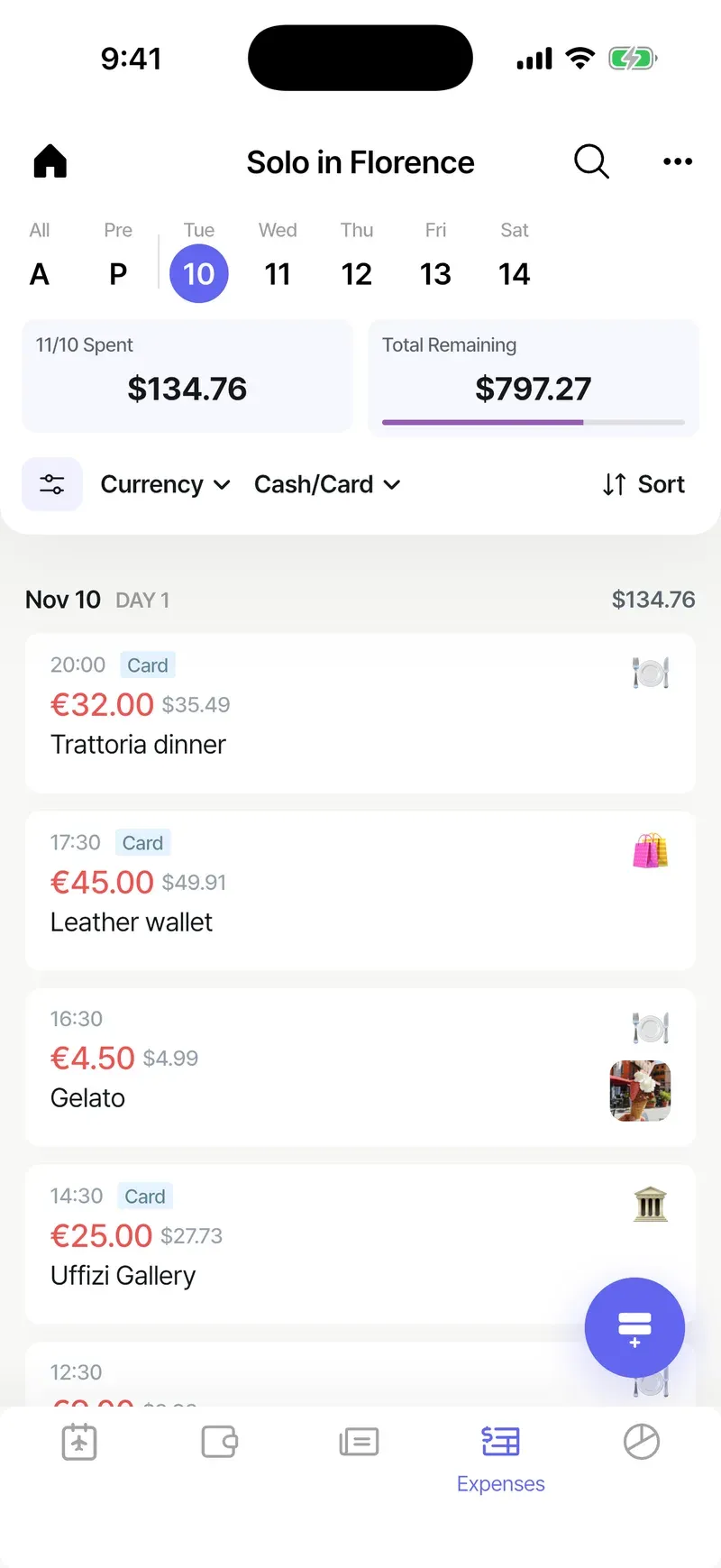
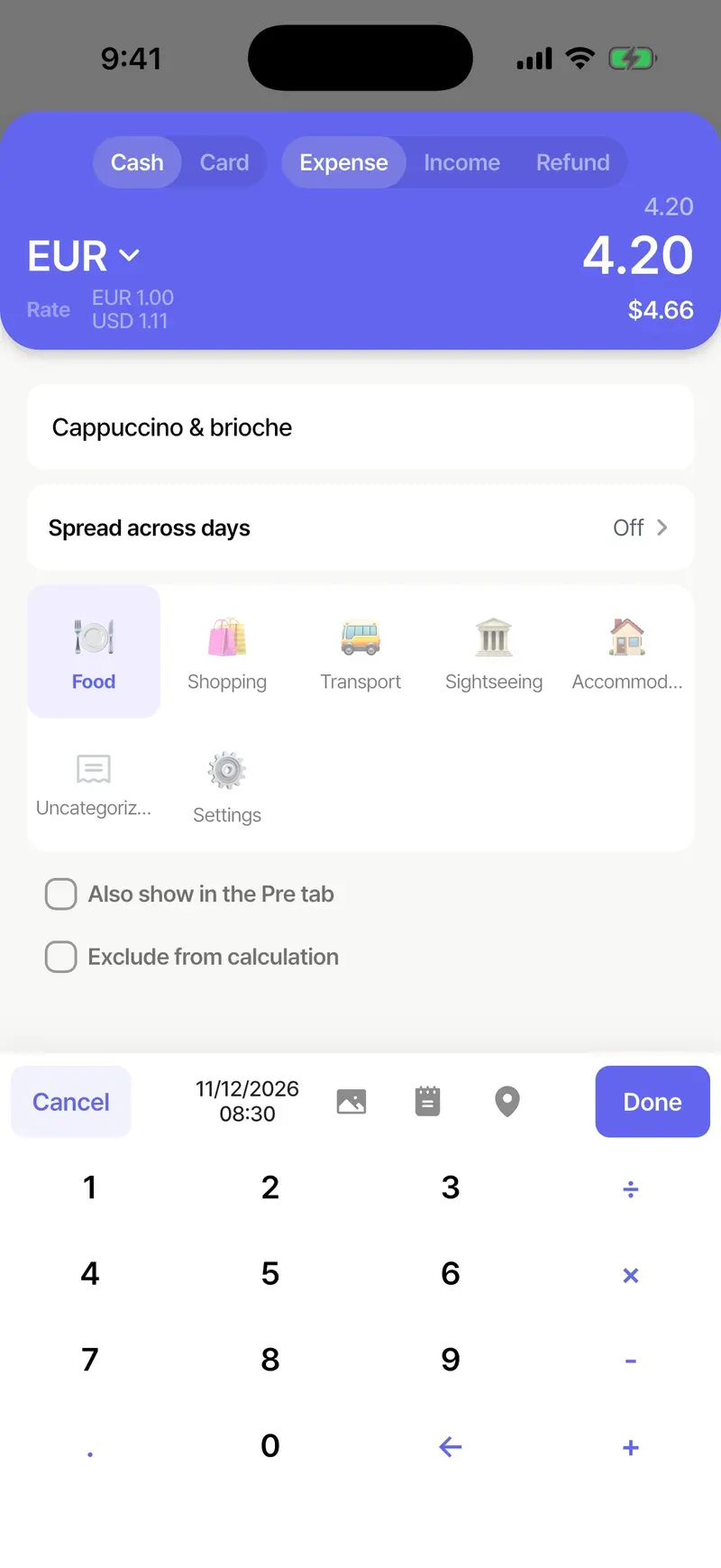
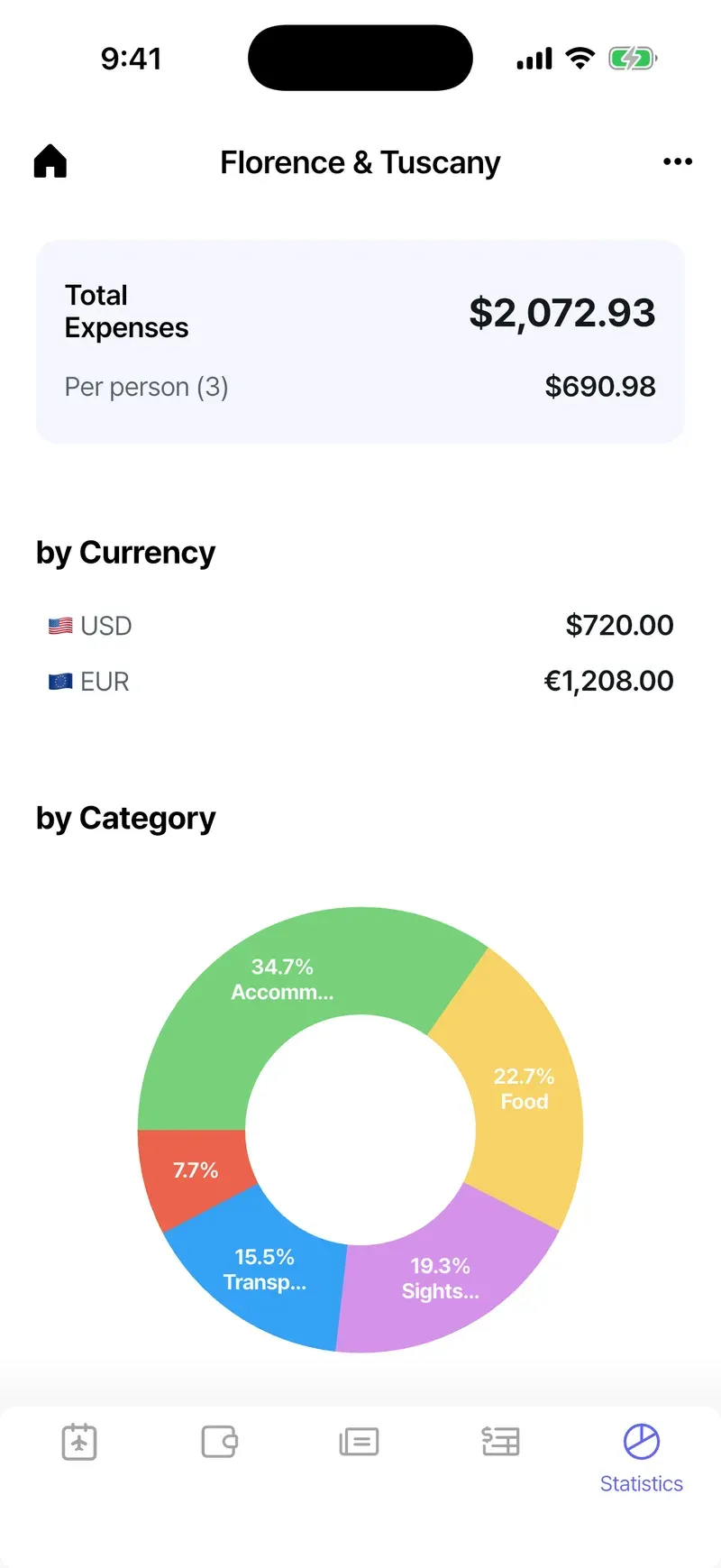
- Every expense in the currency you paid, with the converted amount in dollars beside it. Rates update once a day and are saved on your phone, so it works offline.
- Snap a receipt and AI fills in the amount, currency, date, place and category (how it works).
- When your card statement arrives, you can enter the actual charge, fees and all, so your totals match what you really paid (matching card charges).
- A daily budget, stats by category, and a trip log for notes and photos.
What it doesn’t do (yet): friends you invite to a trip can view everything, but only the person who created the trip can add expenses. We’re working on that. Some features, like budget pockets for exchanged cash and exports, are part of Premium (what’s included).
A quick checklist before you fly
- Install Smart Traveler and enroll your trip in STEP
- Install Mobile Passport Control for the trip home
- Download offline maps for every city you’ll visit
- Download your languages in Google Translate
- Check roaming with your carrier, or sort out a local SIM or eSIM
- Turn off automatic downloads on cellular data
- Forward your bookings to TripIt
- Set up a way to track what you spend, and check it against your statement when you get home