Spend less time tracking,
more time traveling
Trabee Pocket makes trip budgeting simple,
solo or with friends, and keeps the moments, too.
Spend less time tracking,
more time traveling
Trabee Pocket makes trip budgeting simple,
solo or with friends, and keeps the moments, too.
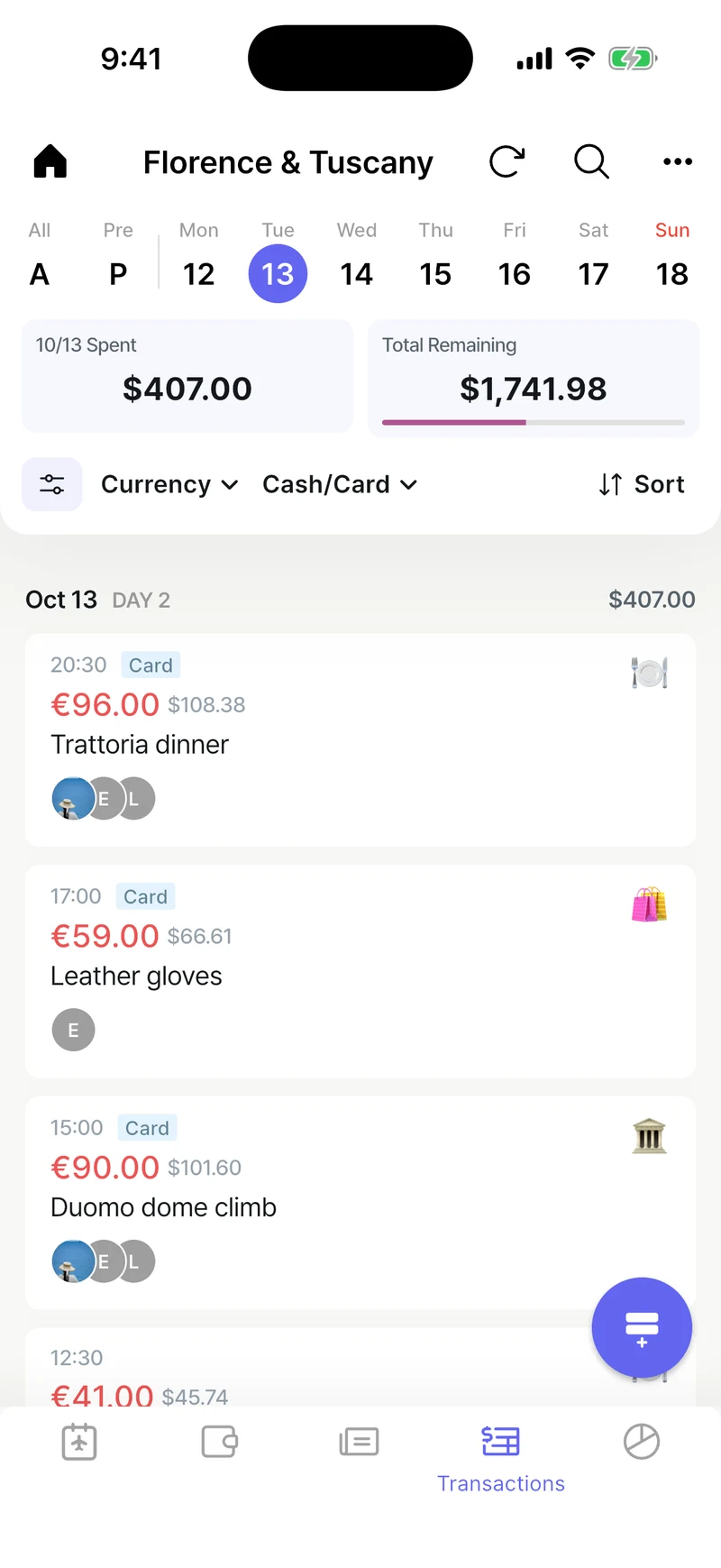
Multiple Currencies
Travel across borders without worry. Automatic conversion with daily updated exchange rates, or set your own when you prefer.
Snap the Receipt
Take a photo of a receipt and AI reads the amount, currency, date, and store to log the expense for you.
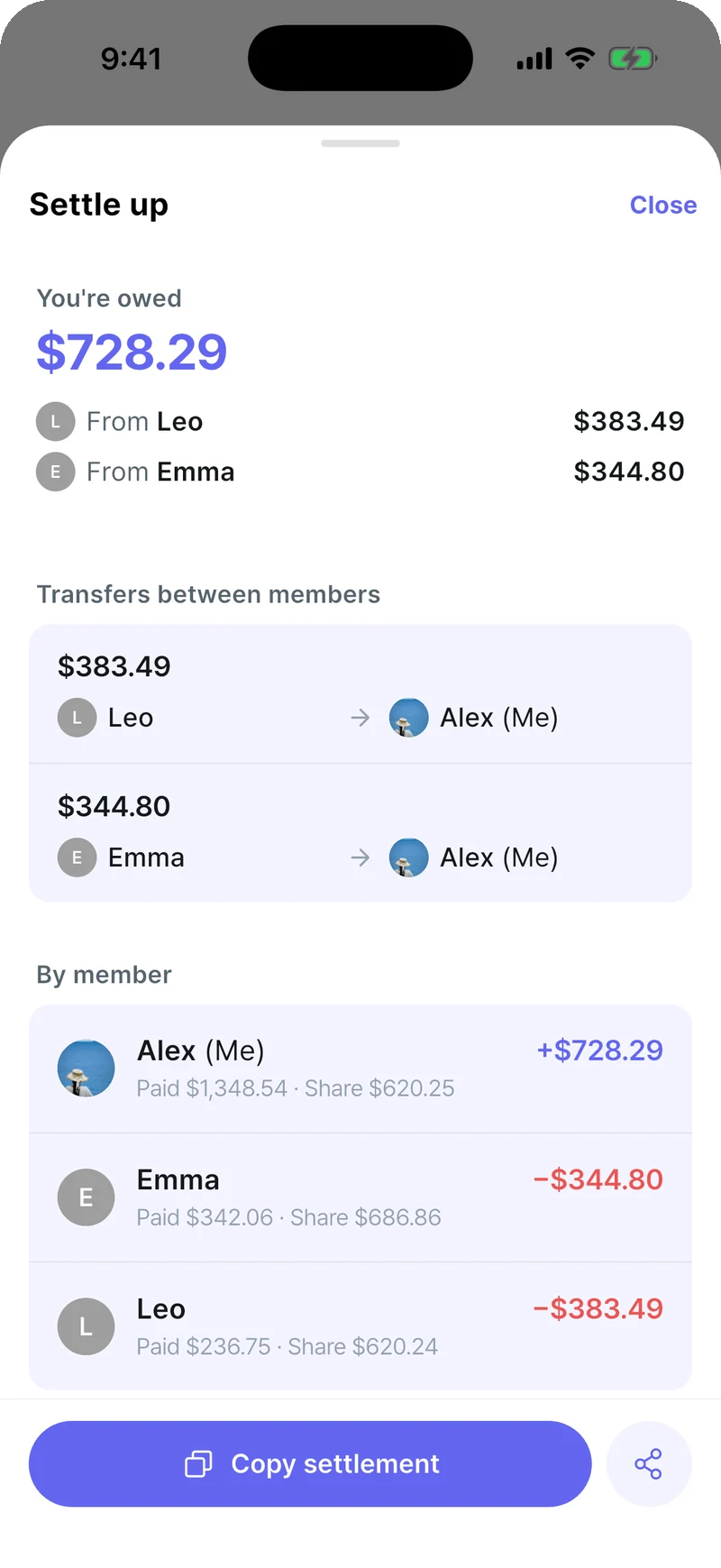
Split & Settle Up
See at a glance who owes whom and how much. Add travel companions without the app, just by name.
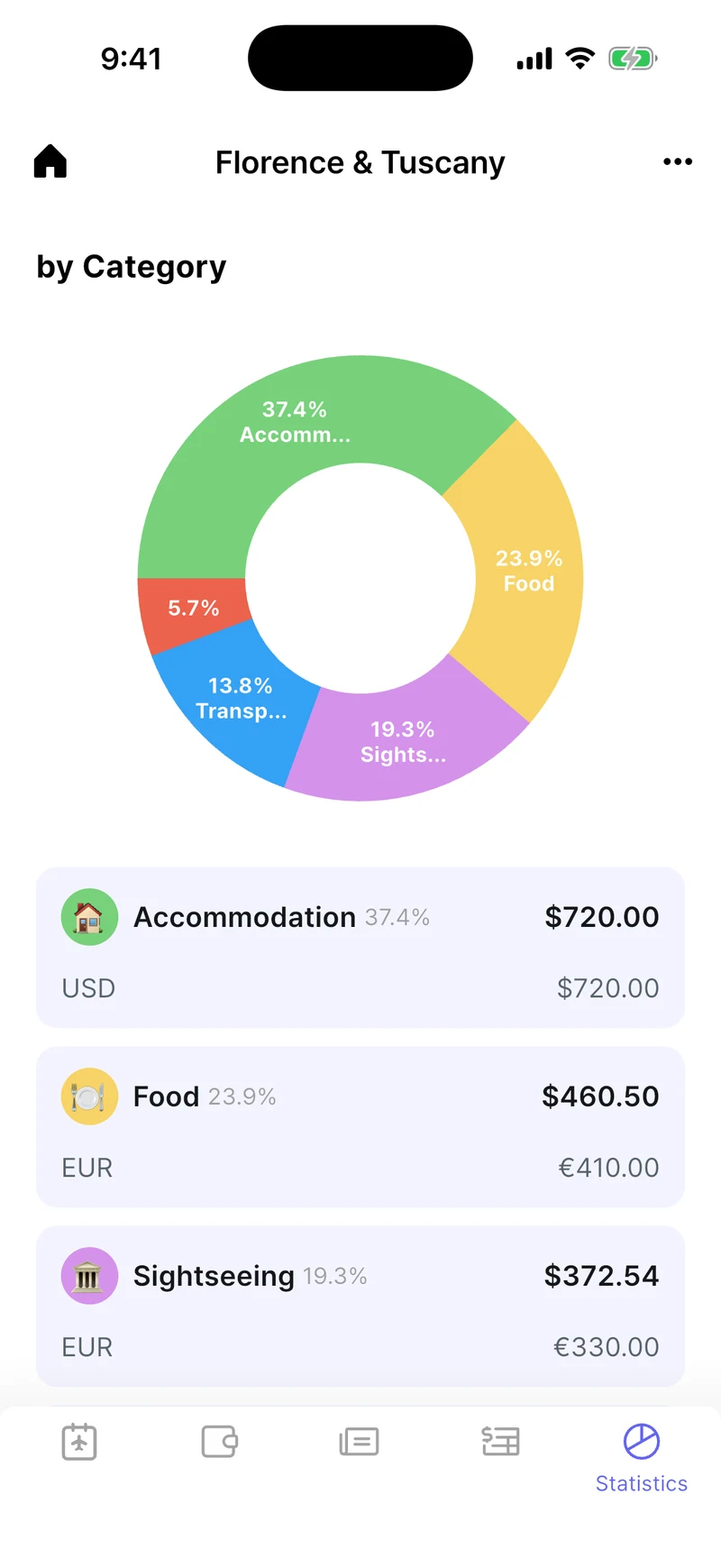
Spending Analytics
Spending by category, companion, and currency at a glance. Name and color your categories your way.
Offline Mode
Stay worry-free even without internet. Record anywhere and sync automatically when you're back online.
Quick Search
That expense from that trip, the note from that day. Find trips, expenses, and journal entries instantly.
Beyond expenses, the story of your trip
Use it as the place to keep your travel moments, too.
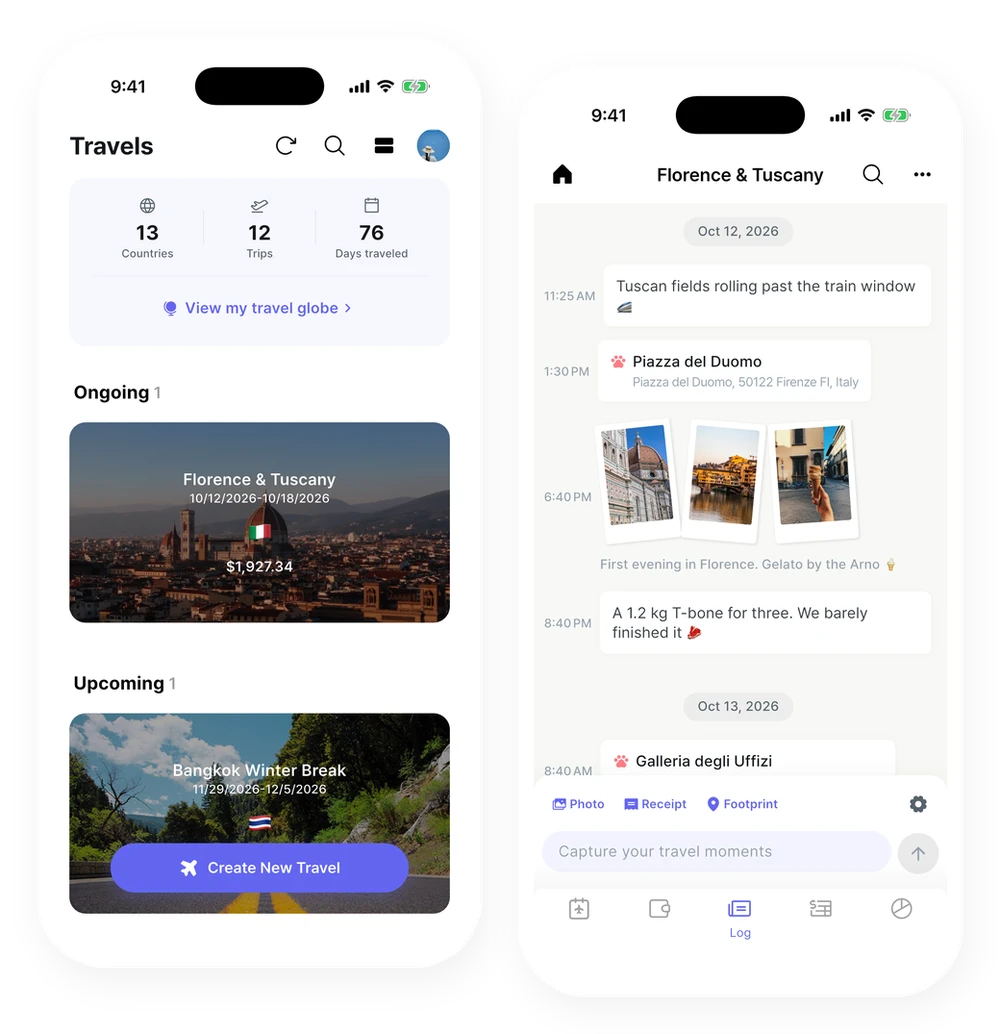
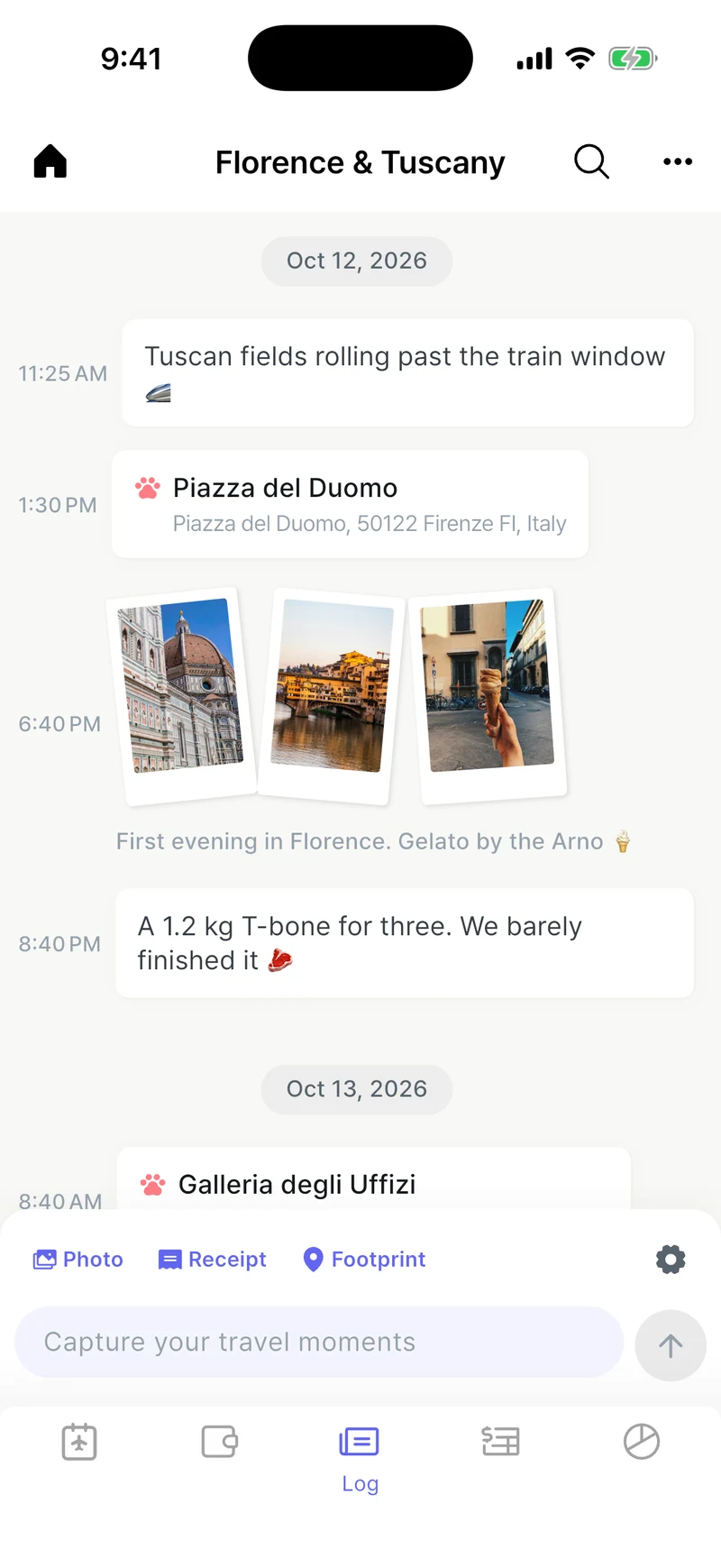
An effortless travel log
Post notes, photos, and footprints like a chat, and they become a day-by-day timeline of your trip.
- Multiple photos at once
- Drop a footprint to save where you are
- Snap a receipt and it becomes an expense
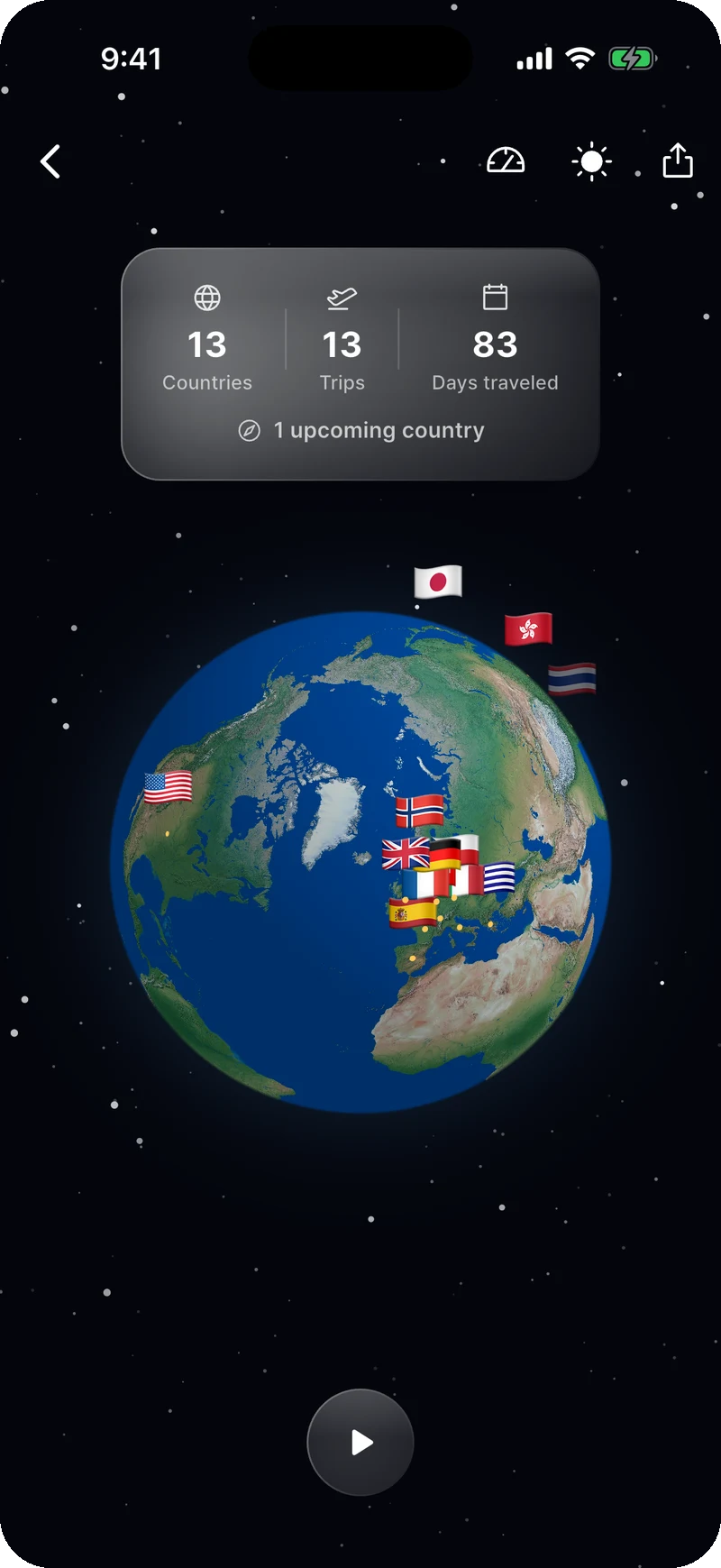
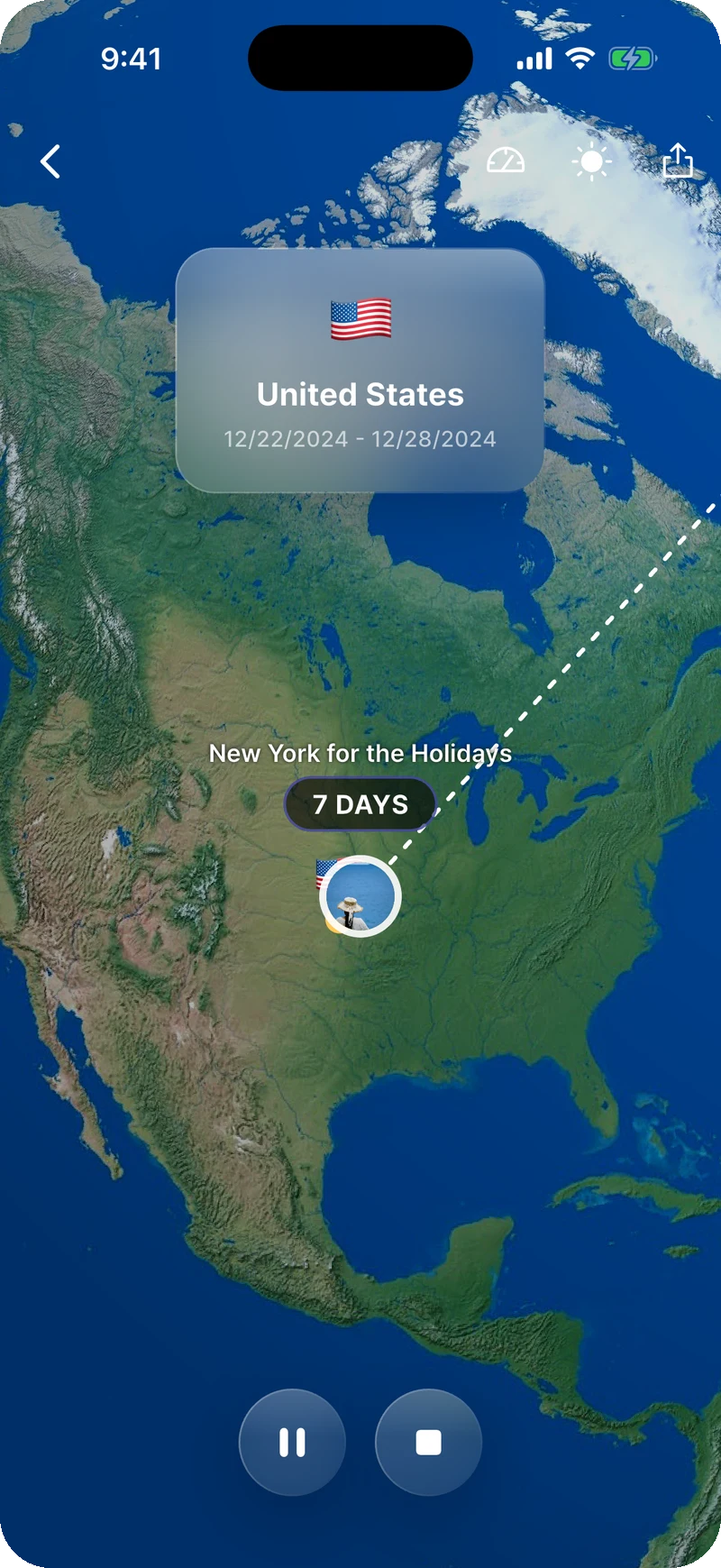
3D Travel Globe
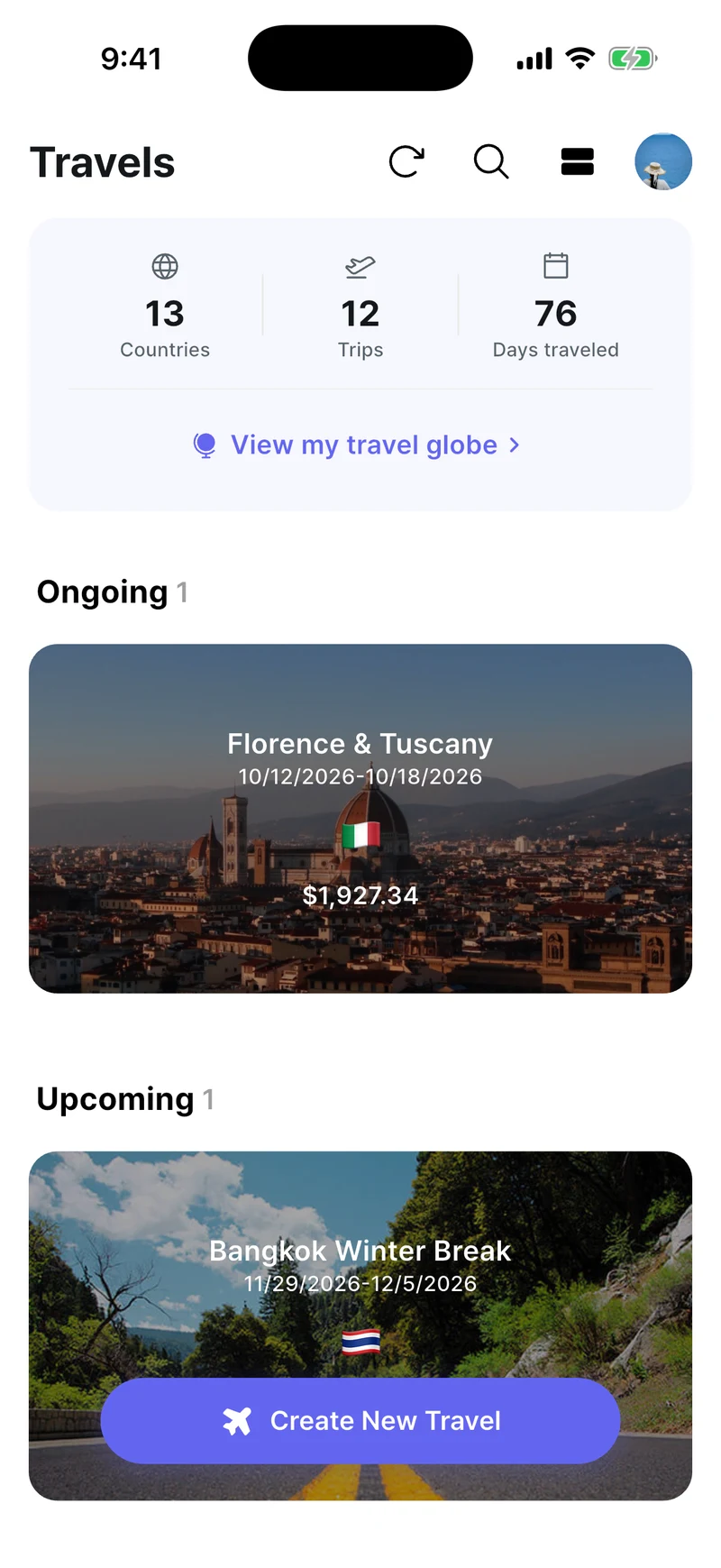
Countries you've visited light up, and your routes are drawn across the globe.
- Countries, trips, and travel days at a glance
- Save it as a video and share it
App Screenshots
A clean interface built for effortless expense tracking
User Reviews
What travelers say about TrabeePocket
I used to collect receipts but got lazy calculating and frequently exceeded my budget. Since using Trabee Pocket, I can easily manage my daily budget and reduce unnecessary spending. I'm currently living in Europe for a month, and this time I feel good because I'm living cleanly within my budget.
I've been backpacking for 5 months now and have used this app since the beginning. It's so easy to track expenses along the way, and I love being able to create my own categories. Can absolutely recommend!
I've been using this app for 4 years now and I'm very happy I bought the Pro version early on. It's been perfect for tracking my travel spending. Great app and very worth the price!




Logos and brand names are used for identification purposes only and belong to their respective trademark owners.
Frequently Asked Questions
Can I try it without signing up?
Yes. Tap "Browse as Guest" on the sign-in screen and pick your home currency to start right away (you need an internet connection the first time).
- Guests have limits on the number of trips, expenses, logs and photos.
- Invites and search aren't available to guests.
- You can try Premium features such as footprints, budget pockets and detailed statistics a few times each.
- When you sign up, everything you've recorded carries over, whether you use email, Apple or Google. New accounts can also try every Premium feature for free.
- Guest data that's never signed up is deleted 90 days after you started. As the date gets close, a banner on the home screen tells you how many days are left.
Can I travel to several countries or use several currencies?
Yes. A trip's currencies are set automatically to your destination's currency and your home currency. To add more, go to the trip's ⋯ menu > "Currency Settings" > "Add Currency".
When you enter an expense, tap the currency button to choose that expense's currency. The amount converted to your home currency is shown alongside.
- Adding a second destination or extra currencies is a Premium feature.
Does it work without an internet connection?
Yes. You can record, view, edit and search expenses and logs offline. Everything syncs automatically once you're back online.
- Waits for a connection: photo uploads, automatic receipt AI
- Needs a connection: signing in, joining or leaving a trip, adding an expense with receipt AI manually, looking up footprint place names
How does settling up work?
When you enter an expense, choose "Paid by" and the members who shared it. The app works out who should send how much to whom (from v5.3.0).
- Screen: Once a trip has two or more members, "Settle up" appears in the "Profile" tab. It shows what you owe and are owed, transfers between members, and what each member paid and spent.
- Checks: Expenses that need attention, such as ones without a payer, are gathered under "Please check".
- Share: Send the result to a chat with "Copy settlement" or the share button.
- Splitting: Each expense is split equally among its members.
- Amounts: Amounts are based on the home-currency conversion, and you can match them to your card charges.
- Price: The settlement is a Premium feature. When the person who created the trip has Premium (an active pass counts) and opens the trip, the settlement opens to every member, and it stays open for that trip even after the pass ends. Members don't need to pay. Until then, only members with Premium can see it.
How do I use receipt AI?
In a trip's "Log" tab, tap "Receipt" and take a photo. The AI reads the amount, currency, date, store name and address, payment method (cash/card) and category, and adds it as an expense. Refund receipts are added as refunds.
- Capture: Tap the Receipt button to open the camera, or long-press it to pick from your gallery. You can attach several receipts (up to 15) to one log.
- First expense: In a trip with no expenses yet, tap "Scan a receipt" in the "Expenses" tab and the AI adds it as an expense right there, without switching tabs (from v5.5.0).
- Add manually: Tap "Add as expense (AI)" on a receipt you've posted.
- Add automatically: Tap the gear to the right of the log input > "Log settings" and turn on "Auto-add expenses with AI". Every receipt you send is then added by the AI. If you're offline, it's added once you're connected.
- Check and fix: Expenses added by the AI show "Auto-filled by AI · Check receipt" in their details; tap it to see the original side by side. You can also tap the amount to edit it.
- Photo quality: If a photo is blurry, too dark or too bright, the app suggests retaking it.
- Only the person who created the trip can post receipts and add them with AI.

Downloaded over 1.2 million times
Join travelers around the world already managing their trip expenses with Trabee Pocket.
Download it for free today.
Scan to download